Featured In
Quote, track and book freight from ChatGPT, Claude, Copilot, Grok, Muse and compatible AI agents. Use plain English, upload shipping documents and manage logistics through Freight Right MCP.






Freight Right lets shippers quote, track and book freight directly inside the AI assistants they already use. Ask for rates, check shipment status, upload shipping documents, request custom pricing and book freight using plain language.
No new portal to learn. No long quote form to complete.
Use ChatGPT, Claude, Microsoft Copilot, Grok, Muse and compatible AI agents to work directly with Freight Right.
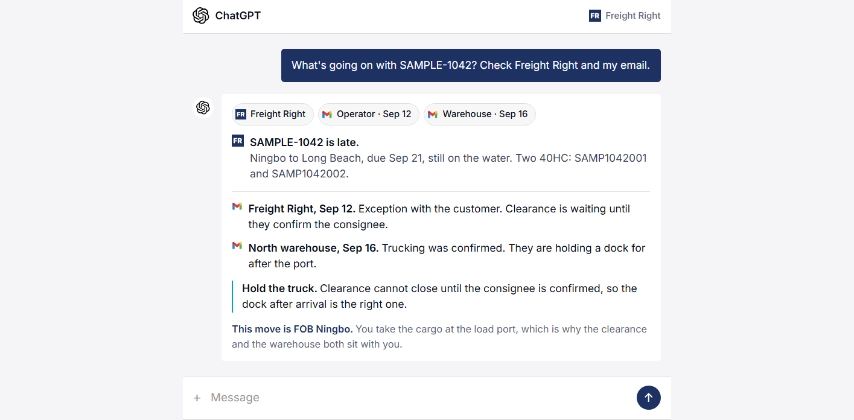
Ask what is happening with a shipment and get more than a tracking update. Freight Right can combine live shipment information with relevant emails from your operators, warehouses, or other parties so you can see what changed, why it happened, and what needs to happen next.
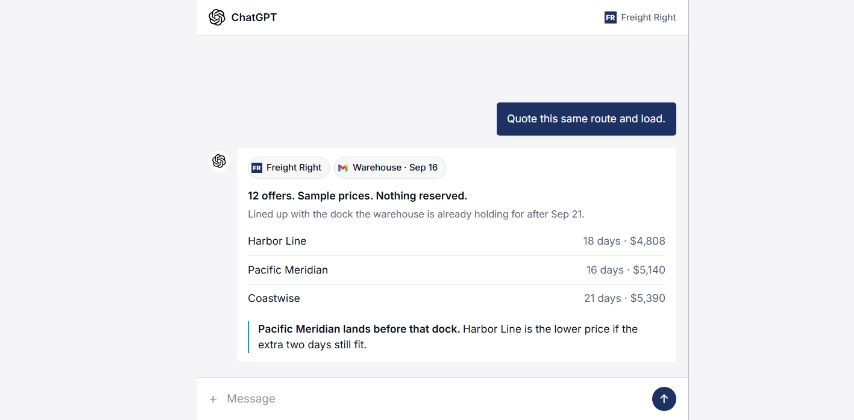
Once the shipment details are already in the conversation, ask Freight Right to price the same route and load. The system can reuse the cargo details, timing, and other available context to return relevant freight options without making you start a new quote from scratch.
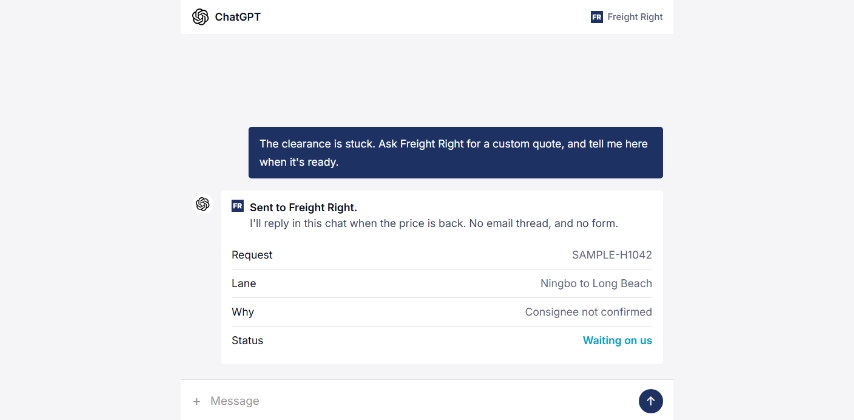
Not every shipment can be priced instantly. If a quote needs manual review, ask for it in the conversation. Freight Right receives the request, works the quote, and sends the result back through the same chat when it is ready.
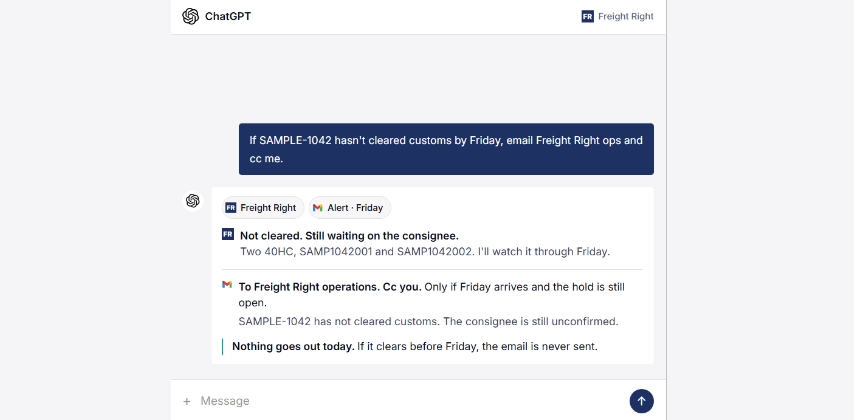
Tell the assistant what to watch for and what to do if something does not happen by a certain time.
For example: if a shipment has not cleared customs by Friday, notify Freight Right operations and copy me.
If the shipment clears before then, nothing happens. If it is still held at the deadline, the alert goes out automatically.
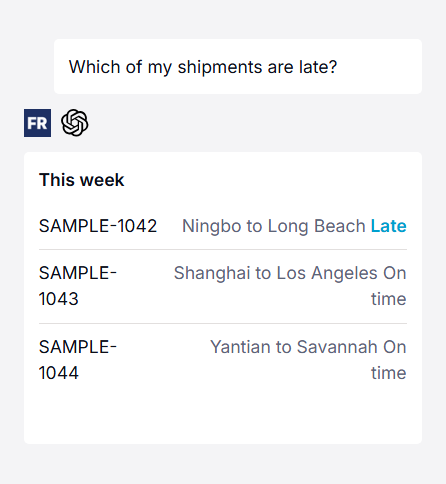
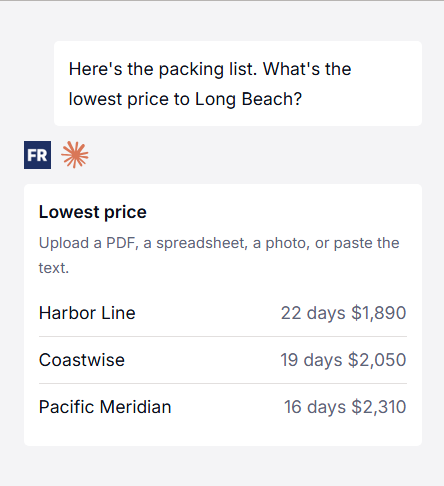
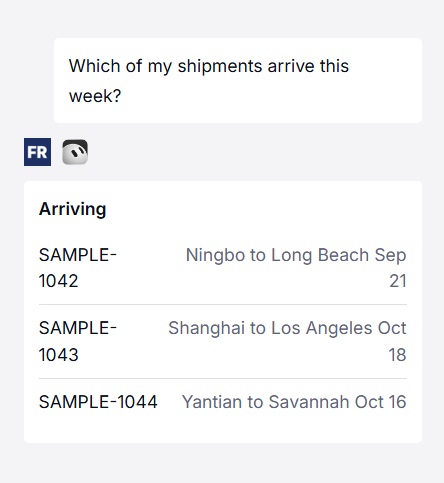
Freight Right connects AI assistants directly to real freight and logistics workflows.
Ask where a shipment is. See what is late. Check what arrives this week. Price a lane. Upload a packing list. Request a custom quote. Book the freight.
Your AI assistant becomes another way to work with Freight Right without moving between freight portals, email threads and spreadsheets.

The information needed for a freight quote often already exists in a packing list, commercial invoice, purchase order, spreadsheet or email.
Upload the document or provide the information you already have.
Freight Right can use it to capture shipment details including:
Pieces
Dimensions
Weight
Commodity information
Origin and destination
Service requirements
This reduces manual entry and helps keep important shipment details with the request.

Ask for freight pricing directly from your AI assistant.
For supported shipments, Freight Right can return available pricing inside the conversation.
For freight that requires manual pricing, the assistant can send the request to Freight Right and return the quote through the same workflow when it is ready.
No second form. No new email chain.
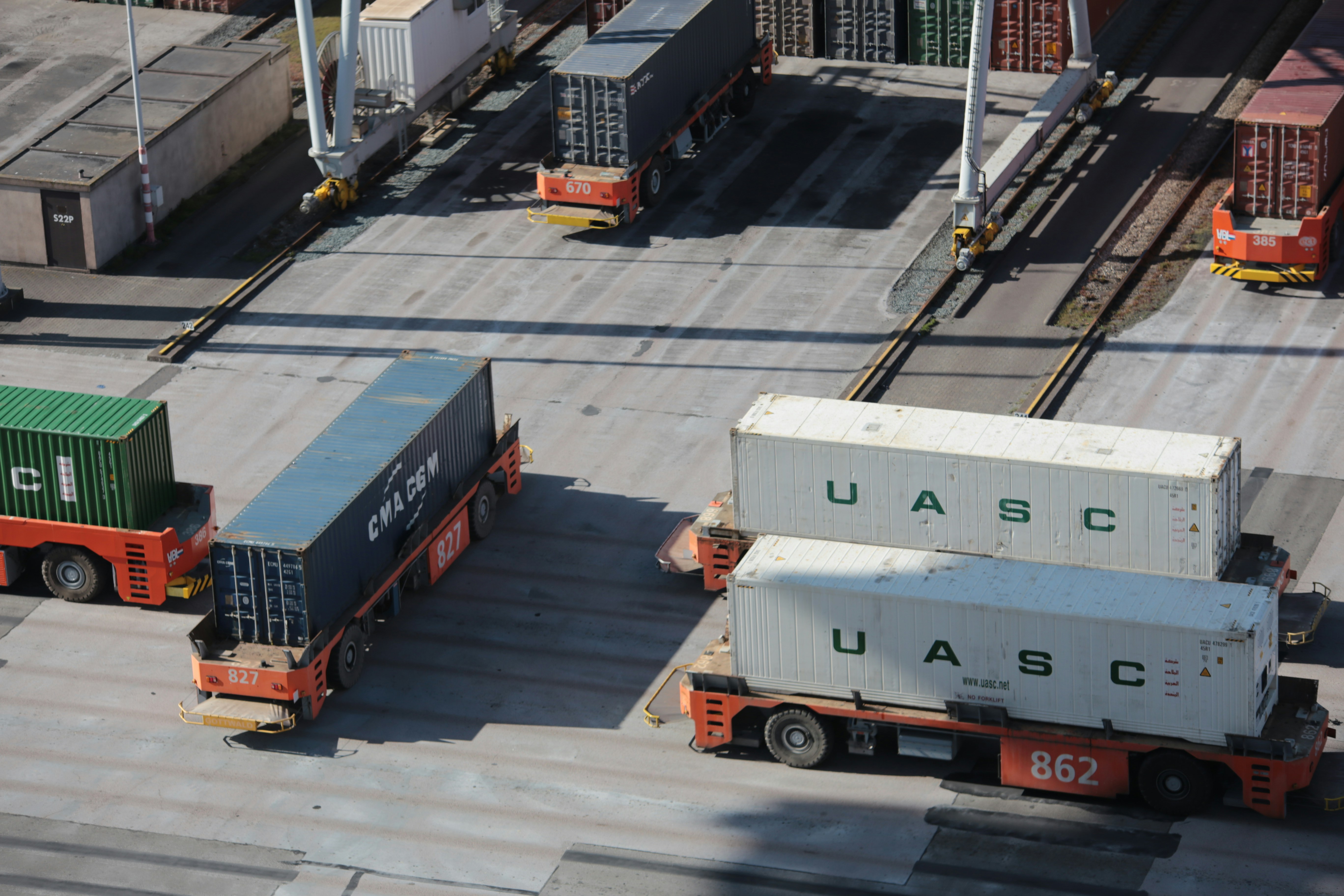
Once you select an available freight option, continue through the same workflow to request the booking.
There is no need to restart the shipment in another system.
Quote the freight. Review the options. Select the service. Book the shipment.

Freight Right can work with information from the tools and documents your business already uses.
Depending on your setup, that can include:
Packing lists
Commercial invoices
Purchase orders
ERP data
Shipment records
Warehouse information
Freight Right account data
More context means less information to enter again and a more complete shipment request.

Freight Right can help surface the shipments that need attention instead of making you check every shipment individually.
Ask which shipments are late, which are approaching delivery, which are still moving or which have an exception.
You can focus on the freight that actually needs action.

Ask your assistant where your freight is without opening a separate tracking portal.
Examples include:
"Where is my shipment?"
"Which containers are still on the water?"
"Which shipments are late?"
"What arrives this week?"
"Has this shipment cleared customs?"
Freight Right returns shipment information directly through the connected assistant.

Freight Right supports logistics across ocean, air and ground transportation.
The AI interface gives shippers one way to start across different freight modes.
Ocean Freight
"Price one 40-foot container from Shanghai to Los Angeles."
Air Freight
"Quote this 780 kg shipment from Frankfurt to Boston."
LTL
"Price three pallets from Chicago to Dallas."
FTL
"Quote a dry van from Laredo to Atlanta next Thursday."
Complex Freight
"Here are the dimensions and photos. Ask Freight Right for the best way to move this."
One command installs Freight Right in the coding tool you already use. The rest of this page is for everyone else.
In your terminal, run:
claude plugin marketplace add freight-right/agent-plugins
claude plugin install freightright@freightright
In your terminal, run:
codex plugin marketplace add freight-right/agent-plugins
codex plugin add freightright@freightright
In your terminal, run:
codex plugin marketplace add freight-right/agent-plugins
codex plugin add freightright@freightright
cursor-agent plugin marketplace add https://github.com/freight-right/agent-plugins
In your terminal, run:
copilot plugin marketplace add freight-right/agent-plugins
copilot plugin install freightright@freightright
Two products share this name. Microsoft 365 Copilot, in Teams and Outlook, is turned on by your company’s admin. The commands below are for GitHub Copilot, which is the coding tool.
If you use the Grok app in a terminal instead, run:
grok plugin marketplace add freight-right/agent-plugins
grok plugin install freightright@agent-plugins --trust
On a Grok Business or Enterprise account, an admin turns this on before the rest of the team can use it.
If you use the Grok app in a terminal instead, run:
MUSE_EXPERIMENTAL_PLUGINS=1 muse plugins marketplace add freightright freight-right/agent-plugins
MUSE_EXPERIMENTAL_PLUGINS=1 muse plugins install freightright@freightright
This is Muse on your computer, not a website chat. The install is still a preview, so the command carries a flag. You only need that flag while installing.
How much does Freight Right MCP cost?
Nothing to ask. Create a free Freight Right account and you can get quotes right away, whether you already ship with us or you are pricing a lane for the first time. If you ask a lot, quoting can slow down so it stays fair. We do not charge for the quotes. The price you see is the freight price, and you choose whether to move it with us. We compete on that price being clear, and on the service around it. The aim is to make the logistics simple.
Do I have to be an existing customer to use the Freight Right MCP?
No. A free account is enough to ask what a lane costs. If you already ship with us, the same sign-in also shows your shipments.
What can I ask the MCP?
Where a container is. What arrives this week. Which shipments are late. What a lane costs. Upload a packing list, or paste it in, in whatever format you already have, and ask for the lowest price.
Do I have to ask in English?
No. Ask in the language you already use. If a factory or a carrier wrote in another language, the same chat can read that email and draft the reply. The shipment and the price are still from Freight Right.
What if the lane isn't available for an instant price?
Ocean, air, and truck shipping inside the US and Canada usually come back right away. A full truckload, or a lane the live check cannot price, goes to our pricing team. You ask in the chat. The answer comes back there. No email chain, and no form.
Will the Freight Right MCP book freight by itself?
No. Ask it to book an offer, and it prepares the booking and gives you a link. You open it, signed in to Freight Right, and request it. Nothing is booked until you confirm. We review the request and confirm it with you.
Does the AI assistant get to use my password and credentials?
No. You sign in to Freight Right in the browser. The assistant never receives your password.
Can I use more than one AI assistant?
Yes. ChatGPT, Claude, Grok, Muse, and Microsoft Copilot can each connect to the same Freight Right account. Ask in whichever you already have open.
I already get shipment tracking emails.
Those can keep coming. You just do not have to open thread after thread to find out where something is, or which one slipped.
Do I need to know how to code?
No. If you can ask a question in chat, you can ask about your freight. The terminal install at the bottom of this page is only for people who already work in a coding tool.